GameNative: Play Your Steam, Epic and GOG Games on Android, and What 1.4.0 Changed
GameNative is a free, open-source Android app that runs the PC games you own. Version 1.4.0 (5 November 2026) makes gamescope the default renderer on Adreno.
 news
GameNative is a free, open-source Android app that downloads the Windows games you already own on Steam, Epic, GOG and Amazon and runs them on the phone or handheld itself, with cloud saves that carry over from your PC. The current release is GameNative 1.4.0, published on GitHub on 5 November 2026. Its headline change is that gamescope is now the default renderer on Adreno GPUs, which the release notes themselves flag as a "potential breaking change". It also moves the default to Proton 11.0-2 rebuild 9 and fixes launches on ColorOS 17. The app costs nothing, is licensed GPL-3.0, and runs best on a Snapdragon handheld.
This page is built from the 1.4.0 release notes, the project README and the gamescope pull request, all read on 14 November 2026. We have not run 1.4.0, and as of that date no outlet on our approved list has published testing of it either.
What GameNative is
GameNative began as a fork of Pluvia, an unofficial Steam client for Android, and is developed by Utkarsh Dalal. The repository was created on 21 April 2025 and had 11,840 stars on GitHub on 14 November 2026; the README puts its Discord at over 35,000 members. Per the README, it:
- signs in to Steam, Epic, GOG and Amazon and downloads games you own;
- syncs cloud saves, so "you can stop on your PC and keep going on your phone";
- applies known configs found by other players automatically, so many games run with no tweaking;
- supports Steam DLC, Workshop content and beta branches;
- has controller and touch support, a custom control editor and an on-screen HUD.
The README is frank that it is "still early": not every game runs, and some need tweaking. Support happens on Discord. GitHub issues are closed automatically.
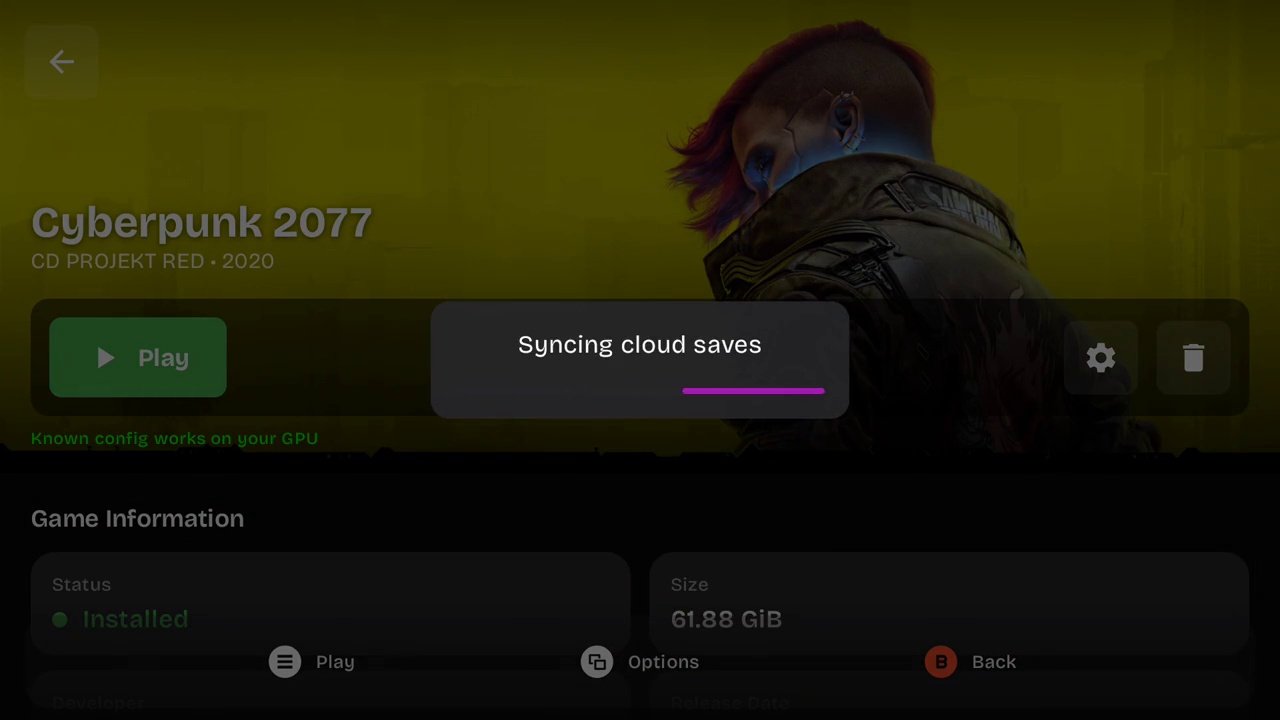
Image: a frame from the demo video in the GameNative README, github.com/utkarshdalal/GameNative (GPL-3.0). The green line under Play is the known-config check.
If you want the wider question of how to get Steam games onto a handheld, our guide to playing Steam games on Android handhelds compares GameNative with the other four routes and covers what each device can run. This page sticks to GameNative itself.
GameNative 1.4.0 at a glance
| GameNative 1.4.0 | |
|---|---|
| Released | 5 November 2026 (pre-release 22 October 2026) |
| Previous stable | 1.3.0, 14 October 2026 |
| Downloads | gamenative-v1.4.0.apk (about 571MB) and gamenative-v1.4.0-legacy-xr.apk for Quest headsets |
| Licence | GPL-3.0 |
| Default renderer on Adreno | gamescope (was X11) |
| Default Proton | 11.0-2 rebuild 9, an Android build with XFixes |
| Driver manifest | Turnip Gen8 V38, Turnip v27.0.0-R1, DXVK 3.1.1, vkd3d-proton 3.1 |
| Price | Free |
What changed in 1.4.0
Gamescope by default. Pull request #2220, merged on 22 October, adds it as a display server alongside the existing X11 one. The game runs on the GPU driver already chosen for the container, and the compositor handles upscaling: FSR, NIS, SGSR, integer, nearest or linear, with adjustable sharpness. Colour looks, bundled ReShade effects, per-container HDR and LSFG frame generation at x2 or x3 can all be changed from the in-game QuickMenu without restarting the game. The gamescope files download on the first gamescope launch rather than shipping in the APK.
Why "breaking": the pull request's summary says gamescope becomes the default for new containers, while existing containers with no saved setting stay on X11. If a game that worked in 1.3.0 behaves differently in a new container, switching that container back to X11 is the first thing to try.
Proton and drivers. Proton 11.0-2 rebuild 9 is the new default, and the notes say its XFixes change fixes button presses not going through. The manifest adds two Turnip builds, DXVK 3.1.1 and vkd3d-proton 3.1. The Adreno 710 family now uses the system driver by default.
Fixes worth knowing about. Launches on ColorOS 17 work again, Steam libraries that did not fully load now do, and downloads no longer fail with a "resolves outside the install dir" error. The SurfaceFlinger renderer no longer needs compatibility mode, and the three largest sources of app-not-responding errors were cut.
Games and stores. From the pre-release: GOG Galaxy service support through Comet, Epic games whose EOS did not work, and fixes for Battle.net (Diablo II: Resurrected, Diablo IV, Overwatch 2) and Age of Empires II: DE and IV. A list of others, including Counter-Strike 2, Oblivion GOTY and Civilization V, works once you click "use known config". Castle Crashers no longer sees two controllers by default on the AYN Thor and Retroid Pocket Flip 2.
Smaller additions. A launcher orientation button in the System menu, a performance-HUD toggle that shows the limiting factor (heat, CPU or GPU), per-profile mouse speed, gyro priority settings, Turkish localisation, and Steam playtime that stops counting while a game is suspended.
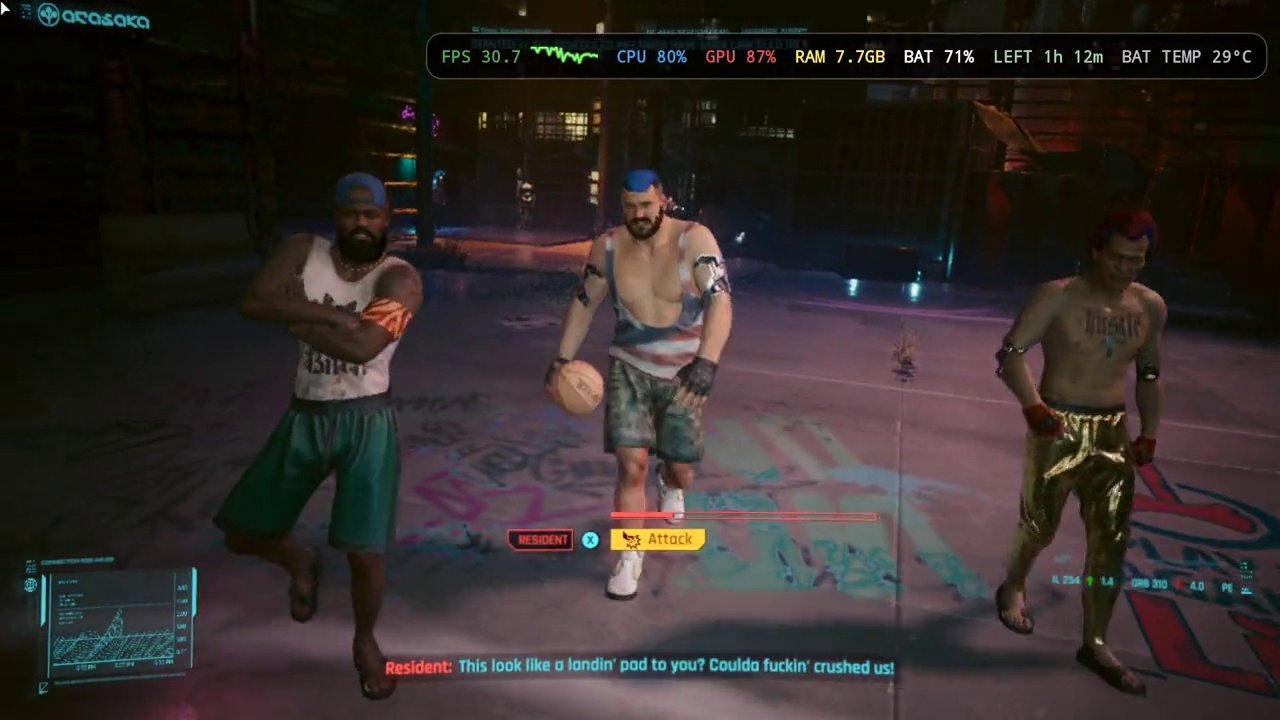
Image: a frame from the GameNative README demo video. The HUD figures belong to the project's own recording on an unnamed device, not a benchmark.
Which GPUs it works on
GameNative is built around Qualcomm Adreno GPUs and the community Turnip Vulkan drivers, and that is where 1.4.0's gamescope default applies. The rest of the picture, from the release notes and the gamescope pull request:
| GPU | Status in 1.4.0 | Typical devices |
|---|---|---|
| Adreno (Snapdragon) | Main target; gamescope default, Turnip drivers bundled | AYN Thor, AYN Odin 3, Retroid Pocket 6 and Nova |
| Adreno 710 | Uses the system driver by default | Some mid-range Snapdragon chips |
| Mali | Gamescope now runs through the system Vulkan driver; Windows VR improved | MediaTek Dimensity devices |
| PowerVR and Xclipse | Supported through Mesa work by pipetto-crypto, per Android Authority (Hadlee Simons, 23 May 2026) | Pixel 10, Samsung Exynos phones |
The project does not publish a minimum chip. The hands-on reports cited in our Steam guide all used a Snapdragon 8 Gen 2-class chip or newer, which is why the AYN Odin 3, the Retroid Pocket Nova and the AYN Thor keep coming up. In the Android Authority interview, Dalal said he had played Hitman: World of Assassination and Cyberpunk 2077 on Snapdragon 8 Elite hardware, with Cyberpunk still freezing now and then. That is the developer's own account, not a test.
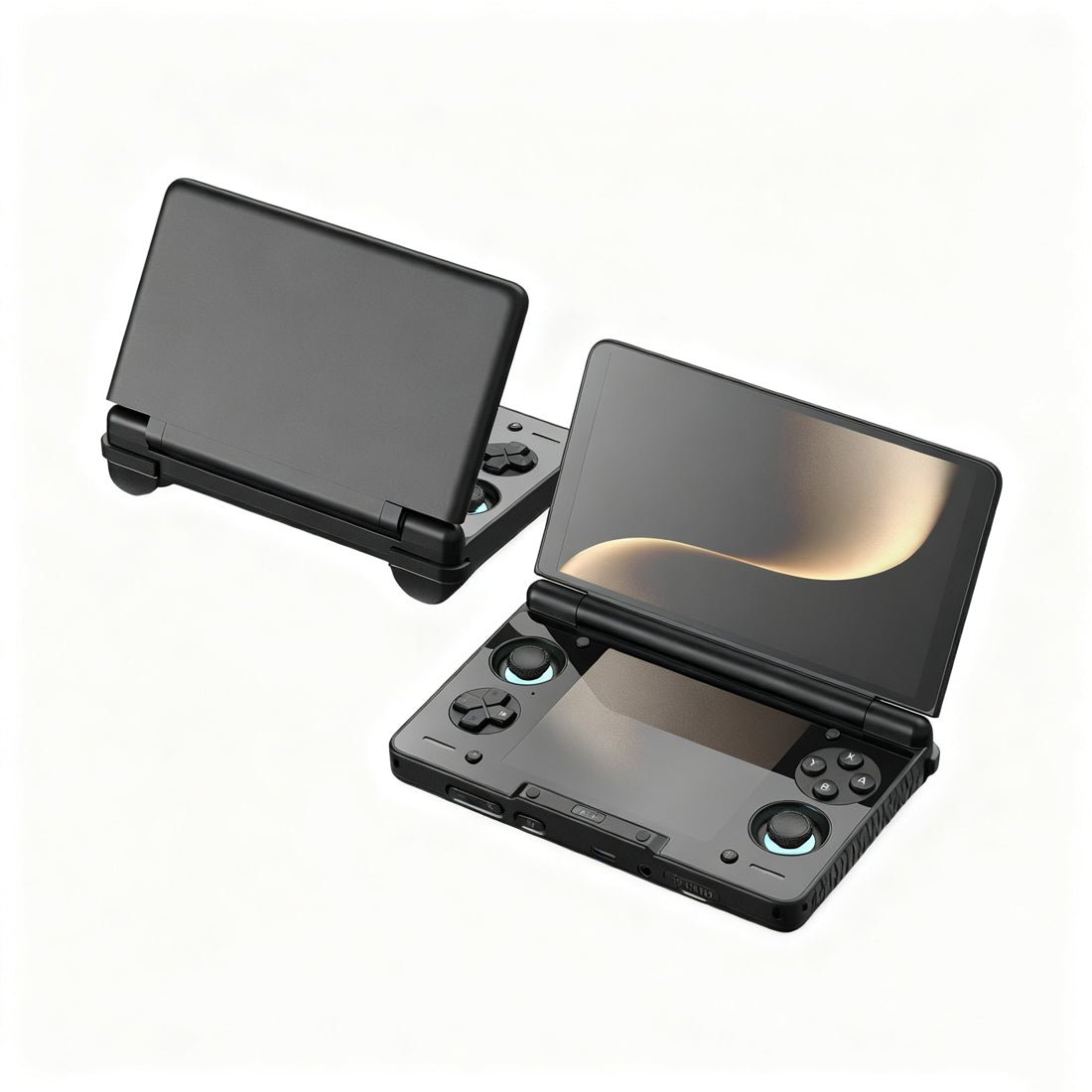
Image: the AYN Thor, from the LitNXT product listing. 1.4.0 fixes games such as Castle Crashers seeing two controllers on it.
Has anyone tested 1.4.0?
Not yet, on our list. Retro Handhelds (Ban, 8 November 2026) reported the release and the gamescope change but did not test it, and its pre-release story (25 October) advised waiting for the stable build. For how GameNative ran on specific handhelds in earlier versions, including the Retroid Pocket 6 and the AYN Thor, see the device sections of our Steam games guide. We will add attributed 1.4.0 results here when an outlet publishes them.
How to install or update it
Download gamenative-v1.4.0.apk from the GitHub releases page and install it. Sign in to Steam, check the compatibility list for your game, install it and press Play. The first launch builds the container and is slow. If a game misbehaves after the update, try the "use known config" option, then switch its container back to X11.
Privacy
GameNative sends anonymous analytics through PostHog. The README says it always records game launch, close and install events with the game name, session length, average FPS and container config, and states that no names, emails, IPs or device identifiers are collected. Feature-usage, login and cloud-sync events are optional and can be turned off under Settings, Info, Usage Analytics.
What to watch next
Two things. First, whether gamescope as the default holds up across the Adreno handhelds on our devices page, which is what the "potential breaking change" warning is about. Second, how far Mali support goes now that gamescope can run on it, since that would open GameNative to MediaTek handhelds. The project shipped 1.2.1, 1.3.0 and 1.4.0 between 13 September and 5 November 2026, so the next release is likely to follow within weeks. We will update this page when it lands.
Frequently asked questions
- What is GameNative?
- GameNative is a free, open-source Android app, licensed GPL-3.0, that signs in to your Steam, Epic, GOG and Amazon accounts, downloads the PC games you own and runs them on the phone or handheld itself through Wine and Proton. It syncs cloud saves with your PC and applies community-found settings for each game automatically. It is developed by Utkarsh Dalal and began as a fork of Pluvia, an earlier unofficial Steam client for Android.
- What is the latest version of GameNative?
- GameNative 1.4.0, published on GitHub on 5 November 2026, is the newest stable release as of 14 November 2026. It followed a 1.4.0 pre-release on 22 October and version 1.3.0 on 14 October. Download the plain gamenative-v1.4.0.apk; the legacy-xr build is for Meta Quest headsets.
- Is GameNative safe?
- Its full source code is public on GitHub under GPL-3.0, and the official downloads are the project's GitHub releases page and gamenative.app. The README says it sends anonymous analytics through PostHog, always including game launch, session length, average FPS and container settings, and states that no names, emails, IPs or device identifiers are collected. Feature-usage analytics can be switched off under Settings, Info, Usage Analytics.
- Is GameNative better than GameHub?
- They do the same job in different ways. GameNative is open source and applies community configs automatically; GameHub is GameSir's closed-source launcher, and GameHub Lite is a community rebuild of it without the telemetry. Our Steam games guide compares both, plus DroidDeck, Winlator and Steam Link, with what reviewers found on each handheld.
- Where is the GameNative compatibility list?
- At gamenative.app/compatibility, where you can see whether other players have got a game running and on what hardware. The project also publishes a nightly list of games that do not run, built from usage data, in the GameNative/gamenative-compat repository on GitHub, with an open issue for each broken game.
- Is GameNative available on iOS?
- No. GameNative is an Android app, and the 1.4.0 release ships only two Android APKs: the standard build and an XR build for Quest headsets. There is no iPhone or iPad version listed on GitHub or on gamenative.app.