DroidDeck 0.4.0: SteamOS-Style Steam on Android Handhelds Adds GOG, Epic and a KDE Desktop
DroidDeck runs Valve's Steam client and Proton on Android handhelds. Now at 0.7.1 (10 November 2026), with first Mali, PowerVR and Xclipse support.
 news
DroidDeck's current release is 0.7.1, published on GitHub on 10 November 2026, two days after 0.7.0, the release that opened the app to handhelds without a Qualcomm Adreno GPU. 0.7.0 added preliminary support for Mali, PowerVR and Xclipse graphics, and the README now lists all three as experimental rather than unsupported. The same release put the KDE desktop on the bottom screen of the AYN Thor and Retroid Pocket Duo, added a Game Jolt store, built-in Syncthing and proper mouse and keyboard support. The recommended hardware is unchanged: Android 9 or newer and an Adreno 730-or-newer or 8xx GPU. It is still free, GPL-3.0, not affiliated with Valve, and available only from its GitHub releases page.
Update: DroidDeck 0.7.0 and 0.7.1 (12 November 2026)
This section comes from the 0.7.0 and 0.7.1 release notes and from the README at each tag, all read on 12 November 2026. We have not run either build, and a search on the same day found no outlet on our approved list that has tested 0.7.x on a handheld. Speed figures below are the maintainers' own.
| Release | Date | What it changed |
|---|---|---|
| 0.7.0 | 8 November 2026 | First Mali, PowerVR and Xclipse support; KDE desktop and a Dashboard on the bottom screen; swap screens; shared Steam libraries; Game Jolt store; built-in Syncthing; hardware mouse and keyboard; controller profiles |
| 0.7.1 | 10 November 2026 | Fix release: Steam installs stuck at "Processing install script", an endless loading screen after quitting, grey colour on PowerVR, EasyAntiCheat games not starting, GOG DLC installs, and a first light launcher theme |
0.7.0 is the biggest release so far by contributor count: 194 pull requests from 39 people, 20 of them first-timers. 0.7.1 added 33 more from four. The repository had 19,619 GitHub stars on 12 November, up from 17,994 a week earlier.
Mali, PowerVR and Xclipse: what "preliminary" means
Until 0.7.0, DroidDeck ran only on Qualcomm's Adreno graphics. The 0.7.0 notes announce "initial" support for Arm's Mali, Imagination's PowerVR and Samsung's Xclipse: DroidDeck now detects the GPU and picks a driver for it, using a translation layer the project calls MaliBridge (with Venus) on Mali and open-source driver pairs on the others. On Xclipse 950 and 960 the automatic setting picks the upstream RADV driver.
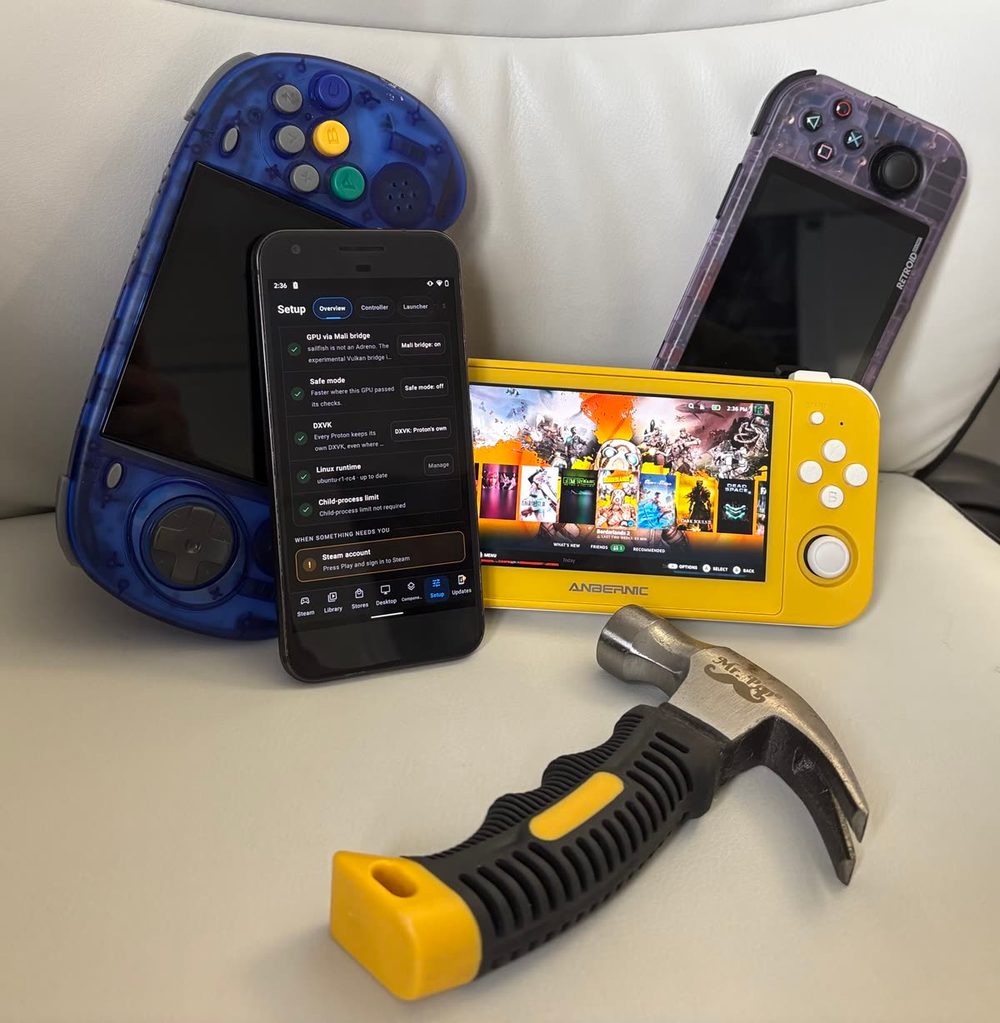
Image: DroidDeck's Setup page with the Mali bridge on, from the project's 0.7.0 release notes (GPL-3.0).
Read the wording carefully, because the project's own documents disagreed for two days. The README shipped with 0.7.0 still said "Mali, Xclipse, PowerVR and Adreno 710 are unsupported", while the release notes above it announced support. A README fix merged for 0.7.1 settled it: the requirement line now reads "Adreno 6xx, Mali, Xclipse and PowerVR are experimental. Adreno 710 is currently unsupported." Experimental is the project's word, and it is the right one to hold on to. The notes say these devices "can run sessions", which is a long way short of saying a given game runs well, and 0.7.1 already had to fix grey, colourless Steam on PowerVR phones (the Google Pixel 10 Pro and Pro XL are the examples given).
For this site's readers, the practical meaning is that MediaTek, Unisoc and Exynos handhelds are no longer shut out at the install screen. We have not found a Tier 1 to 3 source that has run a Steam game through DroidDeck on any Mali handheld, so we are not naming any device as able to play anything yet. If you own one and try it, the README asks for device reports on the project's Discord. The recommended hardware is still an Adreno 740 or newer with 12GB of RAM, as our Steam games on Android handhelds guide sets out.
Dual-screen handhelds get a desktop and a Dashboard
0.6.7 put DroidDeck's menu and keyboard on the second screen of the AYN Thor and Retroid Pocket Duo. 0.7.0 puts real work there. The bottom screen can now hold the full KDE desktop beside a running Steam session or game, next to the existing Dashboard, keyboard and trackpad, Terminal and Deck grips panels. A new swap screens control moves the game to the bottom screen and the Dashboard or desktop to the top, from a button in the panel bar or Show the game on in the session menu.
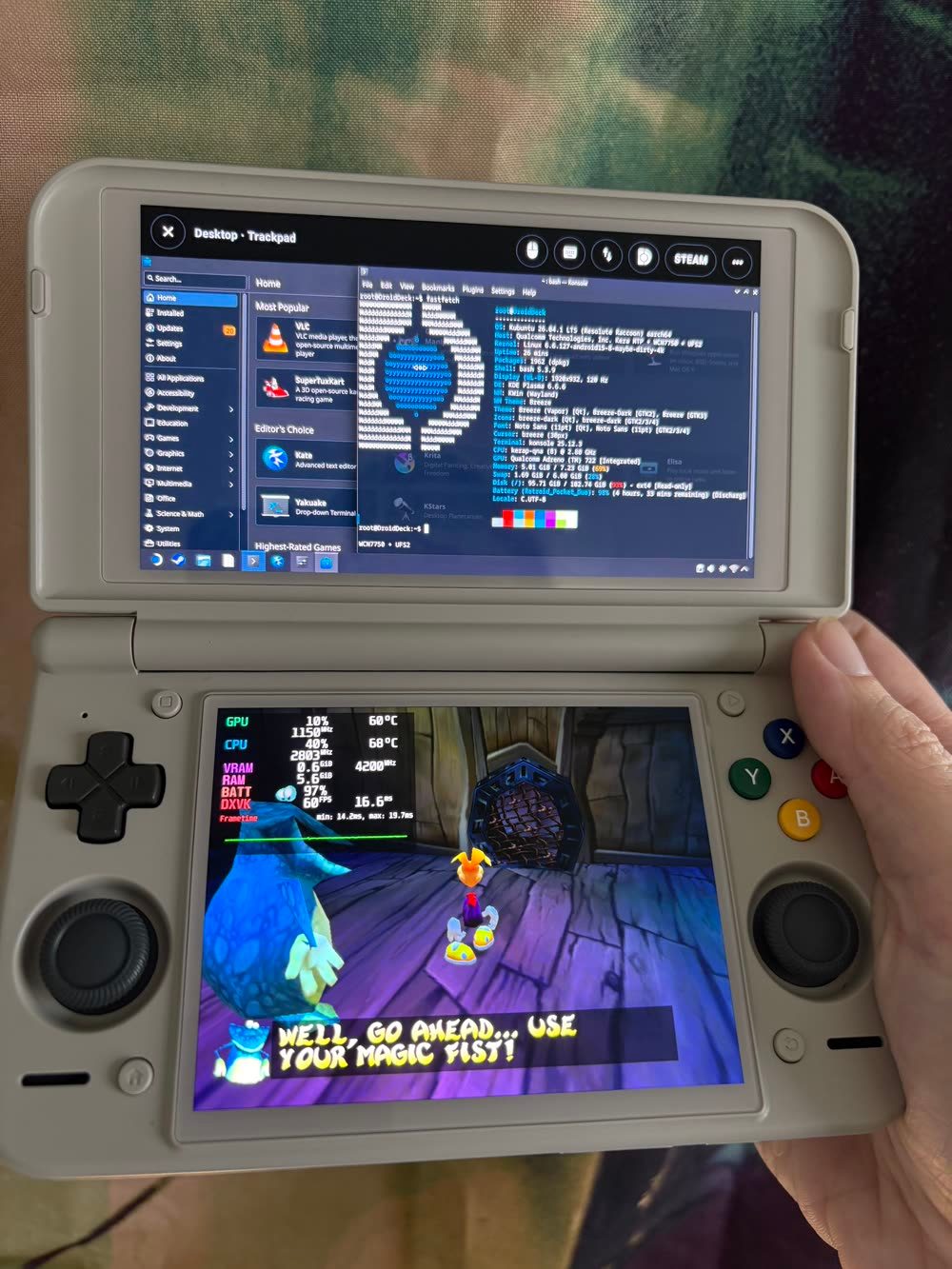
Image: swap screens on a Retroid Pocket Duo, the KDE desktop on top and a game below, from the project's 0.7.0 release notes (GPL-3.0).
The bottom-screen Dashboard gathers downloads, screenshots, Steam chat with voice controls and an In-game stats page that reads speed, gear, rpm and pedal input from racing games that send telemetry. 0.7.1 removed the Dashboard's Notifications page, so DroidDeck no longer asks for permission to read your notifications. Two smaller dual-screen changes matter day to day: DroidDeck drops to single-screen mode while another window holds the bottom screen (Retroid's performance panel is the example given) and returns when it is free, and the "DroidDeck isn't responding" error after the bottom screen sat idle is marked fixed.
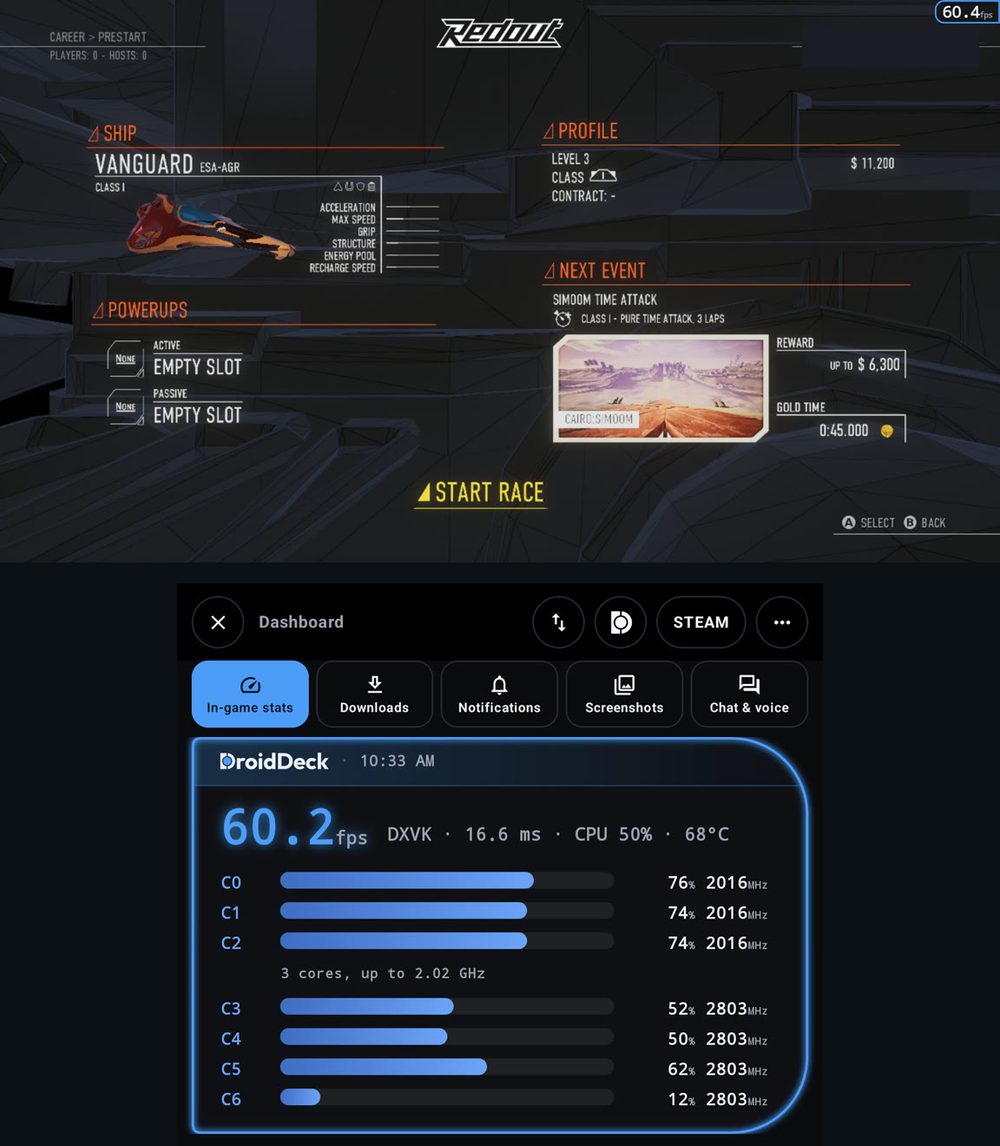
Image: the bottom-screen Dashboard's In-game stats on an AYN Thor, from the project's 0.7.0 release notes (GPL-3.0).
The Retroid Pocket Duo's Adreno 722 is still outside the README's "Adreno 730 or newer" line, but the maintainers keep tuning for it. They report 12.7% more frames per second in Little Nightmares on the Duo and fewer DXVK stalls on the Adreno 722 in 0.7.0, and the Duo appears in the release images. For which Duo to buy, see our dual-screen handhelds guide and the Turnip driver setup for the Duo.
Stores, libraries and syncing
- Shared Steam libraries. DroidDeck can find Steam library folders that other PC gaming apps on the device have already made, on internal storage or the card, and offer to use them, so one copy of a game can serve both apps. Up to four extra libraries can be added beside internal storage and the card.
- Game Jolt store. Browse, search, install and update Game Jolt games, laid out like the itch.io store from 0.6.0.
- Syncthing built in. Saves and games in DroidDeck's own storage can sync to a PC or another device without a separate app.
- GOG fixes (0.7.1). Owned games missing from the library since 0.6.0 are back, and GOG installs the DLC you own.
- EA games install the EA app through Steam.
Controls, performance and the 0.7.1 fixes
- Mouse and keyboard. A hardware mouse and keyboard now behave like a PC's: the camera no longer freezes in games that hide the cursor, and clicks land where you point.
- Controller profiles. Named profiles combine a physical controller layout with layouts for each screen, with a picker in the session menu, and the stick dead zone is adjustable from 0 to 25%.
- Low-RAM devices. 0.7.0 compresses idle game memory before low-RAM devices run out, and 0.7.1 fixes stutter on devices with 13GB of RAM or less caused by recompressing memory every 30 seconds.
- Proton. DroidDeck-Proton 11-12, based on GE-Proton11-12, ships alongside and now updates FEX, DXVK and VKD3D-Proton in the app without waiting for a DroidDeck release. The maintainers report Dungeons & Dragons Online entering the world in 4 seconds instead of 50.
- Steam launches. 0.7.0 introduced a bug that left some Steam games stuck at "Processing install script" or on a black screen after quitting. 0.7.1 fixes both, so skip 0.7.0 and install 0.7.1.
Download only from GitHub
The README's warning still stands: "DroidDeck has no website. Only download it from this repository's Releases." A search on 12 November 2026 returned at least four sites using the DroidDeck name in their domain, offering downloads and FAQs; none of them is the project, and some still describe Mali support as missing. The APK to take is DroidDeck-0.7.1.apk from the releases page.
Update: DroidDeck 0.5 to 0.6.9 (5 November 2026)
Everything in this section comes from the project's release notes and README, read on 5 November 2026. We have not run any of these builds ourselves, and we have found no outlet that has tested 0.6.x on a handheld yet.
| Release | Date | What it added |
|---|---|---|
| 0.5.0 | 18 October 2026 | SteamVR on Meta Quest 3 and 3S, experimental Quest 2 support, XR glasses from VITURE, RayNeo and XREAL, a Cardboard VR mode, and Epic's own Games Launcher running under FEX |
| 0.6.0 | 22 October 2026 | Experimental Xbox and PC Game Pass store (games launch through Proton or FEX), an itch.io store, redesigned store pages, touchscreen gestures, and Steam Remote Play video from the handheld using its hardware encoder |
| 0.6.7 | 29 October 2026 | One Library for every store, a new game page, a Battle.net store, Xbox Cloud Gaming, an Ubuntu 26.04 desktop with Kubuntu's Plasma, portrait mode, and second-screen support on dual-screen handhelds |
| 0.6.9 | 31 October 2026 | Bug-fix release: dual-screen fixes for the Retroid Pocket Duo and AYN Thor, controller button shortcuts, Steam launch options inside DroidDeck, and a frame limit for games started without Steam |
The pace has stayed high. The 0.6.0 notes count 153 pull requests from 23 contributors, 0.6.7 counts 210 from 28 people, and 0.6.9 another 60 from five. The repository had 17,994 GitHub stars on 5 November, up from 7,369 on 13 October.
One Library and the new stores
The change most people will notice is 0.6.7's One Library. Games you have installed and games you own in each store you are signed in to now sit in one grid, split into Installed and Not installed, with source chips for Steam, GOG, Epic, Amazon, Xbox, itch.io and games you added yourself. Every game gets the same page whichever store it came from.
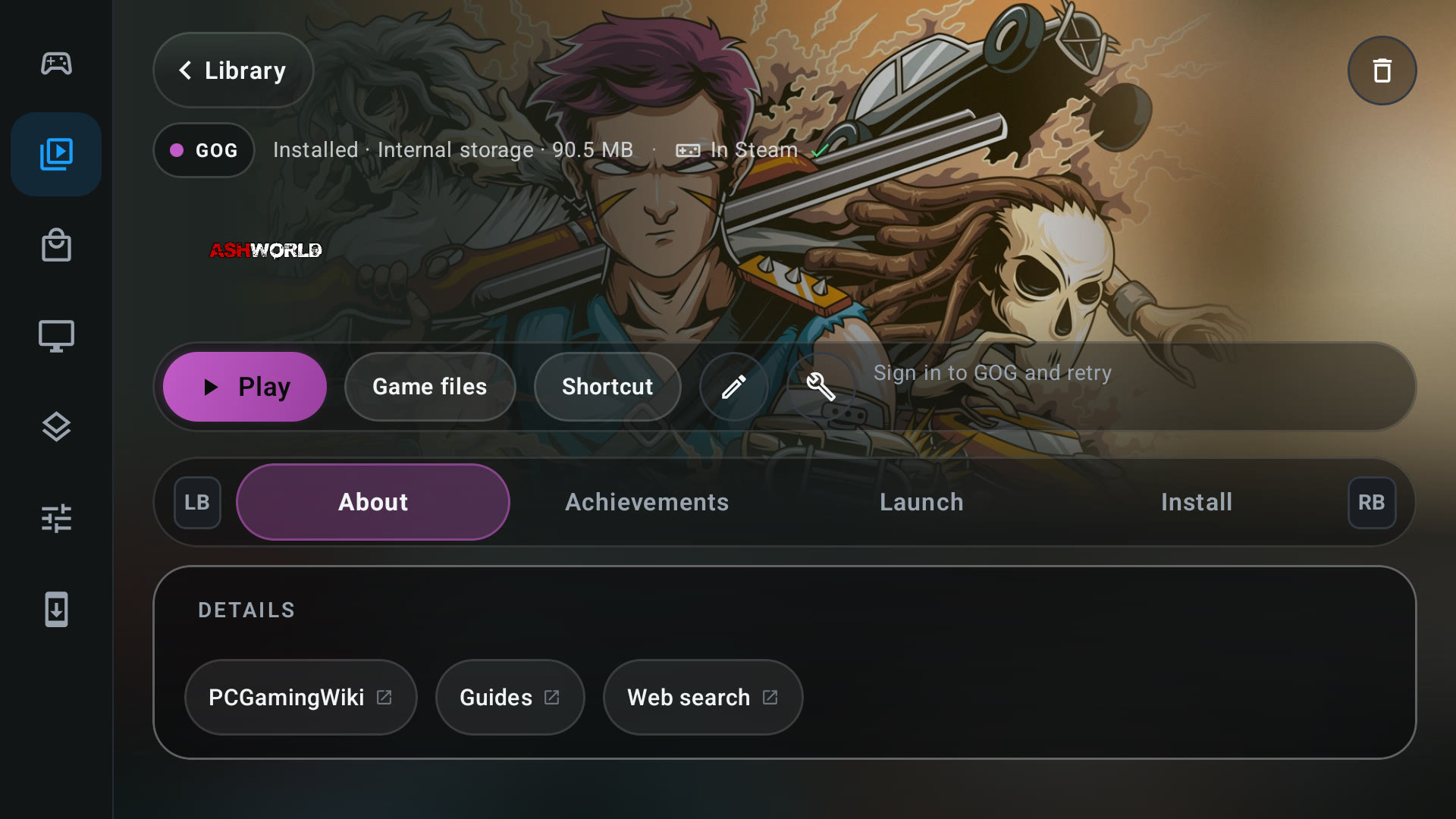
Image: a GOG game's page in DroidDeck 0.6.7, from the project's 0.6.7 release notes (GPL-3.0).
That library sits on top of the stores added in the two releases before it. 0.6.0 brought an experimental Xbox and PC Game Pass store: sign in with a Microsoft account, download owned and Game Pass games with pause and resume, and launch them through Proton or FEX. It also added itch.io, where DRM-free Windows builds install and launch through Steam like everything else. 0.6.7 added Battle.net as a store and Xbox Cloud Gaming, which streams a game from its page with no install. 0.5.0 had already switched every Epic game to start through Epic's own Linux launcher under FEX, so Epic titles get the same sign-in and online services they have on a PC.
Dual-screen handhelds: the AYN Thor and Retroid Pocket Duo
This is the part of the update that matters most for this site's readers. Before 0.6.7, DroidDeck used one screen. From 0.6.7, on the AYN Thor and the Retroid Pocket Duo, the launcher's menu and the on-screen keyboard move to the bottom screen while the top screen keeps showing Steam, and the in-game menu can open there too.
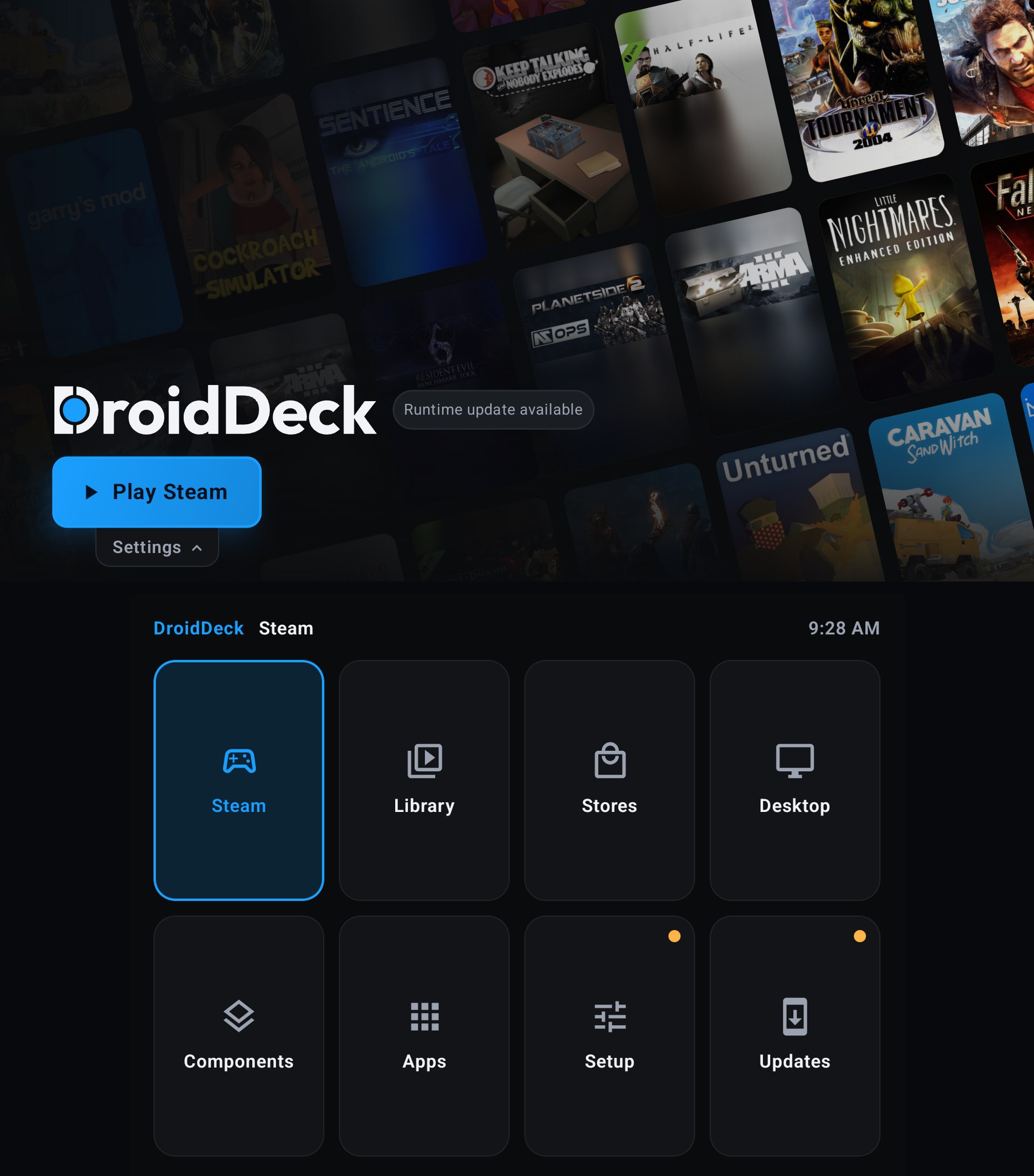
Image: DroidDeck 0.6.7 on a Retroid Pocket Duo, from the project's 0.6.7 release notes (GPL-3.0).
The first version had problems, and 0.6.9 exists mostly to fix them. Its notes list a "DroidDeck isn't responding" error when input reached the bottom screen, DroidDeck jumping back over apps opened from outside it (iisu is the example given), the bottom screen forgetting the panel you picked, and audio crackling on the AYN Thor. All four are marked fixed. The same release stops the AYN Odin 2, Odin 2 Mini and Odin 2 Portal losing their side rail, because Automatic dual screen now needs a real second touchscreen.
One detail for Retroid Pocket Duo owners: the README's supported list still reads "Adreno 730 or newer, or any 8xx", and the Duo's Dragonwing Q-7790 has an Adreno 722. Even so, the Duo is the device the maintainers use for many of their own examples in the 0.6.7 and 0.6.9 notes, including a Stardew Valley start time that fell from 85 seconds to 45 seconds. Treat it as working but not formally listed.
Smaller changes worth knowing
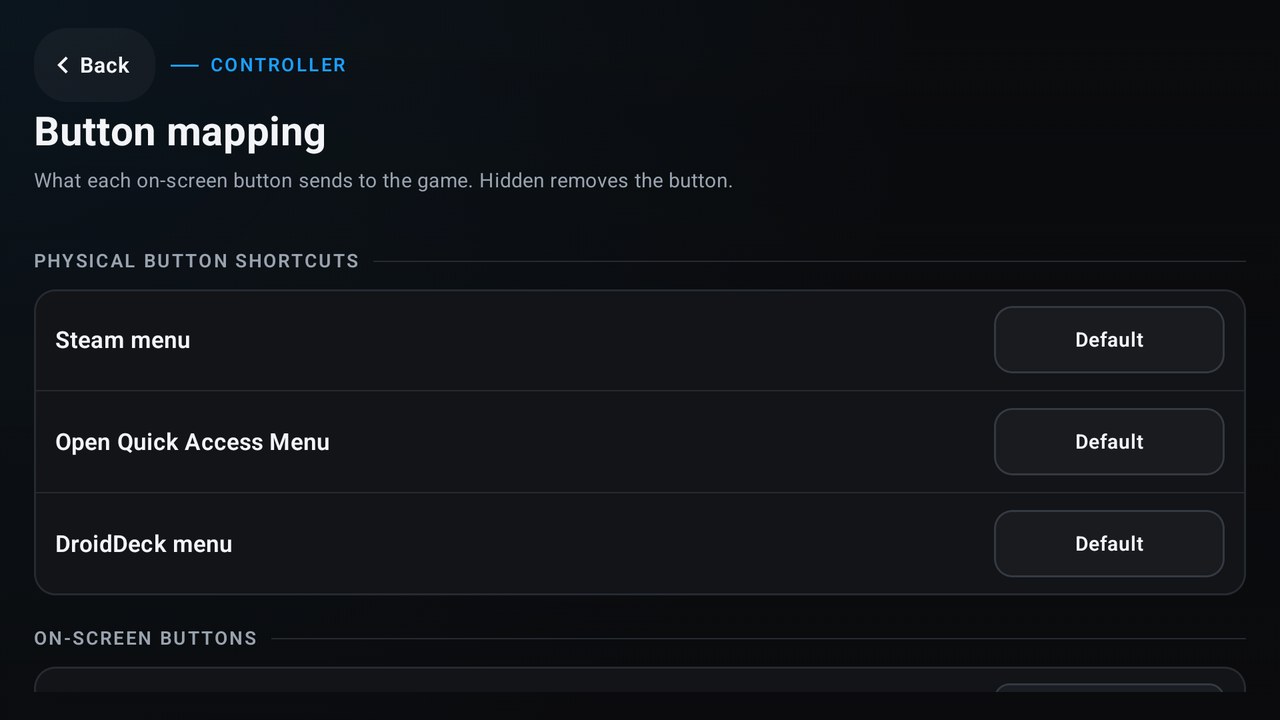
Image: the new controller button shortcuts in DroidDeck 0.6.9, from the project's 0.6.9 release notes (GPL-3.0).
- Controller shortcuts (0.6.9). Physical buttons can open Steam, Quick Access or DroidDeck's own menus, set per controller, under Setup > Controller > Button mapping.
- Sleep (0.6.7). The maintainers report that a game left suspended overnight lost 2% battery in their testing.
- Steam Input chords (0.6.7). Holding Back works as the Quick Access button, and Steam's brightness and volume sliders now control the device.
- Banking apps (0.6.9). 0.6.7 added an optional accessibility service for Home-button shortcuts, and some banking apps, UBS among them, refused to open while it was listed. 0.6.9 fixes that; the notes say the service only listens for button presses.
- Developer option name. The README now says that on Android 14 and newer you turn on "Disable child process restrictions" in Developer options; on Android 12 and 13 the "Fix it for me" button still walks you through it.
On 4 November the project also published a signed Android App Bundle tagged 0.6.9.2 "for Google Play upload". That is a build artifact, not a Play Store listing, and we have not found DroidDeck on Google Play. Until it appears there under the project's own name, GitHub is the only safe source.
The 0.4.0 release (first published 13 October 2026)
DroidDeck 0.4.0 shipped on 12 October 2026, the project's fourth release in eleven days, and it is the update that turns a proof of concept into something that looks like SteamOS on an Android handheld. The app runs Valve's real Steam client in Big Picture mode inside a Linux runtime on the device and launches Windows games through Valve's ARM64 Proton; 0.4.0 adds GOG, Epic Games and Amazon Games libraries, a SteamOS-style KDE Plasma desktop, Steam's own touch controller and four-controller local co-op. It needs Android 9 or newer and an Adreno 730-or-newer GPU, which in our catalogue means the Retroid Pocket 6, Retroid Pocket Nova, AYN Thor and AYN Odin 3. It is free, GPL-3.0, not affiliated with Valve, and available only from its GitHub releases page.
We have not run it ourselves. Everything below comes from the project's README and release notes, read on 13 October 2026, and from the outlets named.
Image: the DroidDeck project's social preview artwork, from github.com/Droid-Deck/DroidDeck (GPL-3.0). Used with credit; DroidDeck is not affiliated with Valve or with this site.
What DroidDeck is
Where GameNative and GameHub wrap Wine in their own launcher, DroidDeck takes the other road: the actual Steam client, in Big Picture, with Valve's own compatibility layer underneath. The README describes it as bringing "the SteamOS experience to Android: Valve's Steam client in Big Picture on your Adreno handheld, with Windows games through Valve's ARM64 Proton." FEX translates the x86 code, gamescope handles the display, and a proot-based Linux runtime holds it all; there is no root requirement.
The repository was created on 24 September 2026. Releases have come fast: 0.3.0 on 2 October, 0.3.1 on 5 October, 0.3.2 on 8 October and 0.4.0 on 12 October, with the GPL-3.0 licence throughout and 7,369 GitHub stars by 13 October. Retro Game Corps covered it on 6 October ("SteamOS is Now an Android App") and ETA Prime on 10 October ("SteamOS on Your Phone Is Finally Here!"), which is where most of the attention came from. The first written hands-on came from Android Authority (Hadlee Simons, 6 October 2026): on a Retroid Pocket G2 running Android 15, Geometry Wars 3 "ran at playable speeds" and Pac-Man Championship Edition DX had "a noticeably inconsistent frame rate", with some stutter in Steam's own interface that Simons put down to the mid-range chip.
What 0.4.0 changes
From the 0.4.0 release notes:
| Area | Change |
|---|---|
| Desktop | LXQt replaced by a SteamOS-style KDE Plasma 6.7 desktop with Dolphin, Firefox, Konsole, the Steam desktop client and a working Return to Gaming Mode |
| Other stores | GOG, Epic Games and Amazon Games sign-in, with libraries, downloads and launching through Steam; cloud saves for GOG and Epic |
| Touch controls | Steam's native touch controller (beta) with per-game Steam Input layouts, community configurations, an on-screen layout editor and Steam Cloud sync |
| Local co-op | Up to four connected Android gamepads working independently through Steam Input |
| Controllers | Bluetooth LE Steam Controller (2025) support including trackpads, back grips and motion; the built-in controls can present as a Steam Deck, Steam Controller, Xbox 360, DualShock 4 or DualSense, switchable live |
| Per-game settings | Persistent compatibility profiles for Proton, FEX, DXVK, VKD3D-Proton, Windows components, environment variables and texture filtering, inheriting from your defaults |
| Foldables | Steam and games resize on fold, unfold or rotate, with an optional touch gamepad below the game |
| Performance | The maintainers report PRoot "up to 57% faster in some workloads, with lower idle CPU usage", plus a custom DroidDeck-Proton build and automatic redistributable installs |
The stores integration is the headline for anyone who owns games outside Steam: each GOG, Epic or Amazon title is downloaded into the Games storage and added to the Steam client as a non-Steam game, so it launches through Proton like everything else.
What it needs
From the README, as of 13 October 2026:
- Android 9 or newer, no root.
- An Adreno 730-or-newer or Adreno 8xx GPU. Adreno 6xx is experimental: "DirectX 11 uses DXVK 2 and may run, and DirectX 12 games can still crash." Mali, Xclipse, PowerVR and the Adreno 710 are unsupported.
- About 3GB for the runtime and 1.1GB more for the desktop and emulators, before any game.
- Restrict child processes turned off in Developer options before Steam will launch. On Android 12 and 13 devices without that toggle, the first launch shows a "Fix it for me" button.
- Install the APK from Releases, install the Linux runtime, press Play and sign in; Steam downloads itself on first launch.
The project's own caveats: "Compatibility and performance vary by device; hardware validation is limited," the desktop compositor uses software rendering, and the README says the project has no website and should be downloaded only from its GitHub releases.
Which handhelds in our catalogue qualify
| Handheld | GPU | DroidDeck status per the README | Price, 13 October 2026 |
|---|---|---|---|
| Retroid Pocket 6 | Adreno 740 (Snapdragon 8 Gen 2) | Supported | $429.99 at LitNXT |
| Retroid Pocket Nova | Adreno 740 (QCS8550) | Supported | $389.99 at MechDIY |
| AYN Thor Base, Pro, Max | Adreno 740 (Snapdragon 8 Gen 2) | Supported; the Lite tier's Snapdragon 865 is experimental | $469.99, $599.99, $789.99 at LitNXT |
| AYN Odin 3 | Adreno 8xx (Snapdragon 8 Elite) | Supported | Pro $659.99 at LitNXT |
| Retroid Pocket Flip 2, Retroid Pocket 5 | Adreno 650 (Snapdragon 865) | Experimental | $349.99 at LitNXT (Flip 2) |
| Retroid Pocket Duo | Adreno 722 (Dragonwing Q-7790) | Not named in the README's supported list | $269.00 at Retroid |
Prices read from each store's listing on 13 October 2026. The 12GB models are the ones to pick for this: every outlet that has tested native PC games on these handhelds this year recommends 12GB of RAM, as our guide to playing Steam games on Android handhelds sets out, and DroidDeck's runtime takes 4GB of storage before the first game.
What to watch
Three things will decide whether DroidDeck becomes the default route. First, the release cadence: four versions in eleven days is a project moving fast, and each one has changed something structural (the desktop environment was swapped outright in 0.4.0). Second, hardware reports: the README asks users to post device reports in its Discord, and the supported list will firm up as they come in. Third, performance on the handhelds people actually own, rather than on flagship phones; the Retroid Pocket G2 test is the only handheld figure we have found so far, and it is a single indie title.
If you want to try it today, the handheld to do it on is one with an Adreno 740 and 12GB of RAM, from the devices page. Our Steam guide covers GameNative, GameHub Lite and Winlator as the alternatives, and we will update its version table when DroidDeck's next release lands.
Frequently asked questions
- What is the latest version of DroidDeck?
- DroidDeck 0.7.1, released on GitHub on 10 November 2026, is the newest release as of 12 November 2026. It fixes bugs that 0.7.0 (8 November) introduced, including Steam games stuck at Processing install script. 0.7.0 was the feature release: experimental Mali, PowerVR and Xclipse support, the KDE desktop on a dual-screen handheld's bottom screen, and a Game Jolt store. Download it only from the project's GitHub releases page.
- What is DroidDeck?
- DroidDeck is a free, GPL-3.0 Android app that runs Valve's actual Steam client in Big Picture mode inside a Linux runtime on the handheld, and launches Windows games through Valve's ARM64 build of Proton with FEX translating x86 code. It is not a Valve product and has no website; the only official downloads are its GitHub releases page and its Discord. The repository was created on 24 September 2026 and had 7,369 GitHub stars on 13 October.
- Which Android handhelds can run DroidDeck?
- The README asks for Android 9 or newer and an Adreno 730-or-newer or Adreno 8xx GPU, no root, with about 3GB for the runtime and 1.1GB more for the desktop. In our catalogue that is the Retroid Pocket 6, Retroid Pocket Nova, the AYN Thor's Base, Pro and Max tiers and the AYN Odin 3. Since 0.7.0 (8 November 2026), Adreno 6xx chips such as the Snapdragon 865 in the Retroid Pocket Flip 2 and Mali, Xclipse and PowerVR GPUs are all listed as experimental; only the Adreno 710 is still unsupported.
- What is new in DroidDeck 0.4.0?
- A SteamOS-style KDE Plasma 6.7 desktop with a Return to Gaming Mode button, replacing LXQt; GOG, Epic Games and Amazon Games sign-in with downloads launched through Steam and cloud saves for GOG and Epic; Steam's native touch controller in beta with Steam Input layouts; up to four controllers for local co-op; support for the 2025 Bluetooth Steam Controller; and per-game compatibility profiles for Proton, FEX, DXVK and VKD3D-Proton. The maintainers also report PRoot running up to 57% faster in some workloads.
- Does DroidDeck play Steam games without a PC?
- Yes. Unlike Steam Link, which streams from a PC, DroidDeck downloads the game to the handheld and runs it there through Proton. Early testing is mixed: Android Authority's Hadlee Simons ran Geometry Wars 3 at playable speeds on a Retroid Pocket G2 with stutter in Steam's own interface, and the project's README says compatibility and performance vary by device with limited hardware validation.