TrimUI Brick Pro Review (2026): Bigger, Better, Not Faster
Full TrimUI Brick Pro review: 3.95-inch 1024x768 screen, Hall sticks, 5000mAh battery, the same chip as the Brick, and how it differs from the U Hammer.
 reviews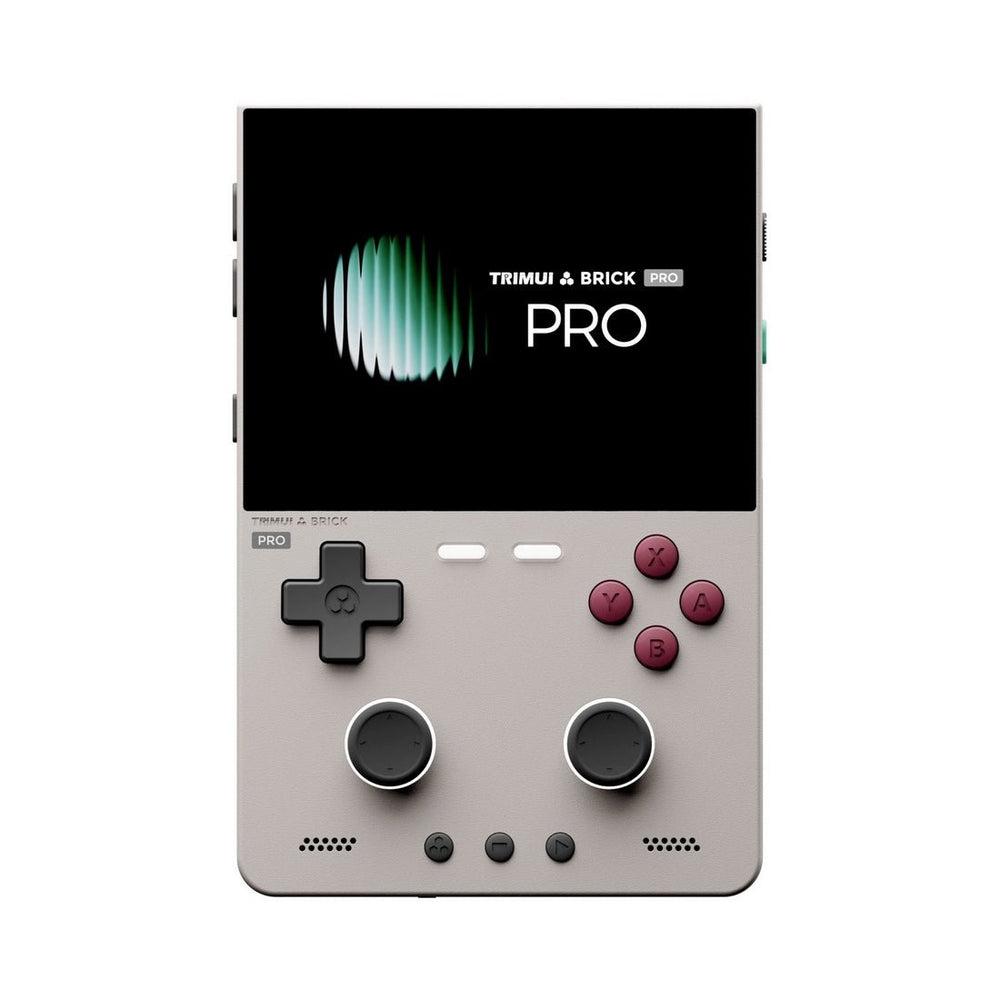
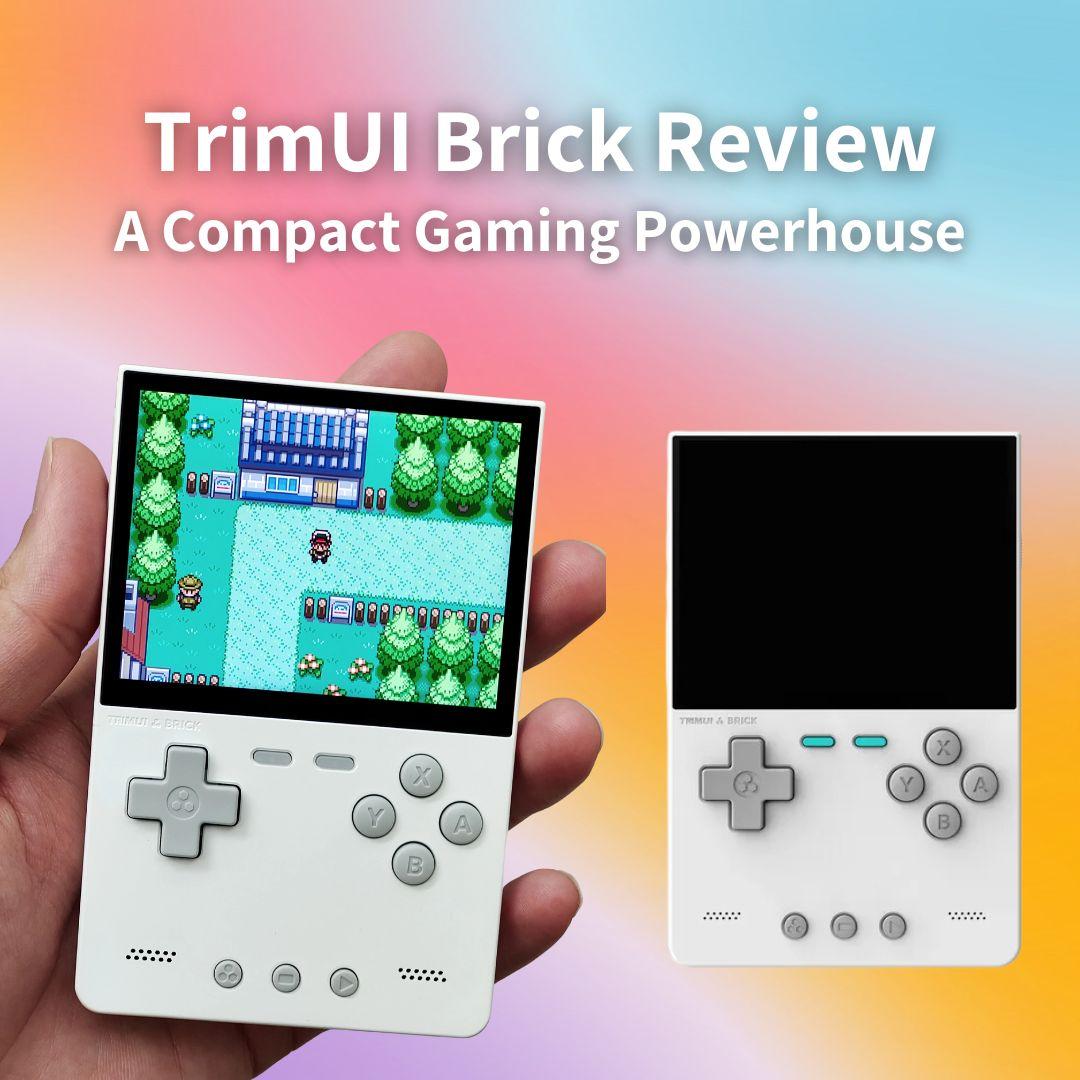
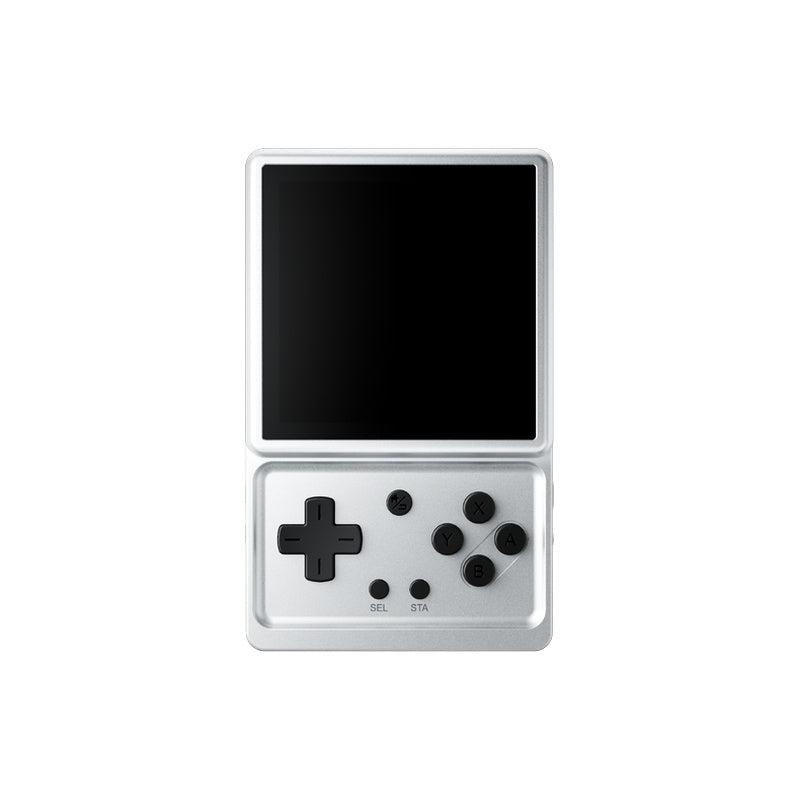
The original TrimUI Brick was a magic trick: a genuinely pocketable vertical handheld with a screen far better than its price suggested. The TrimUI Brick Pro is the sequel, and it does almost everything the community asked for — bigger screen, analog sticks, much bigger battery, replaceable shoulder buttons — while deliberately not touching the one thing you might have expected it to.
It keeps the same processor.
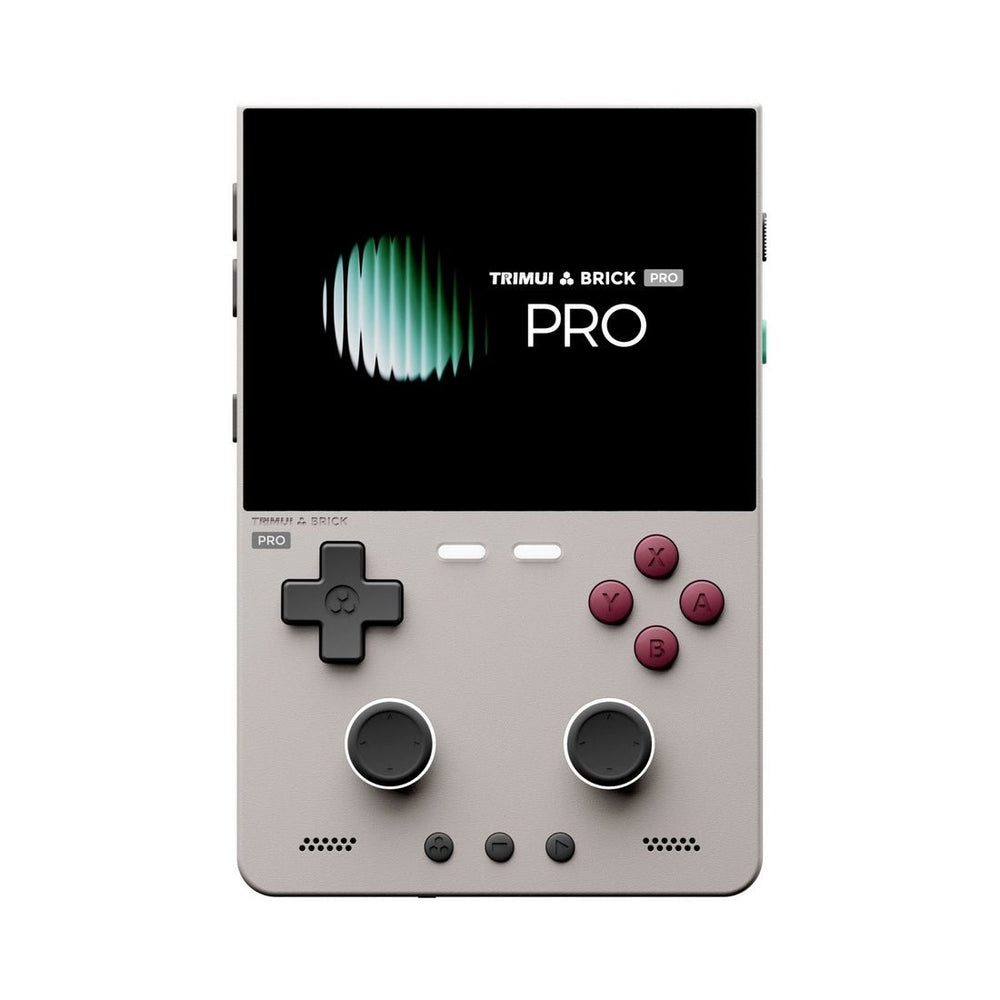
Check the TrimUI Brick Pro at LitNXT → — console-only from $105.79, or bundled with a CrossMix OS card.
Quick verdict
What it is: a 3.95-inch vertical Linux handheld with a 1024x768 laminated IPS panel, two clickable Hall-effect sticks, a 5,000mAh battery and swappable shoulder buttons, built around the same Allwinner A133P as the original Brick.
Who it's for: anyone who loved the Brick's screen and software but found it too small to hold for an hour, or who wants analog sticks for N64 and PS1.
Who should skip it: anyone buying for raw power. If you want reliable Dreamcast, PSP or GameCube, this is not the device — and neither is any A133P handheld.
Before you buy: "Brick Pro" and "Brick Pro U Hammer" are two different machines sold from one listing — $105.79 against $293.99. Check which one the dropdown is set to; the next section explains the difference.
What changed from the original Brick
| TrimUI Brick | TrimUI Brick Pro | |
|---|---|---|
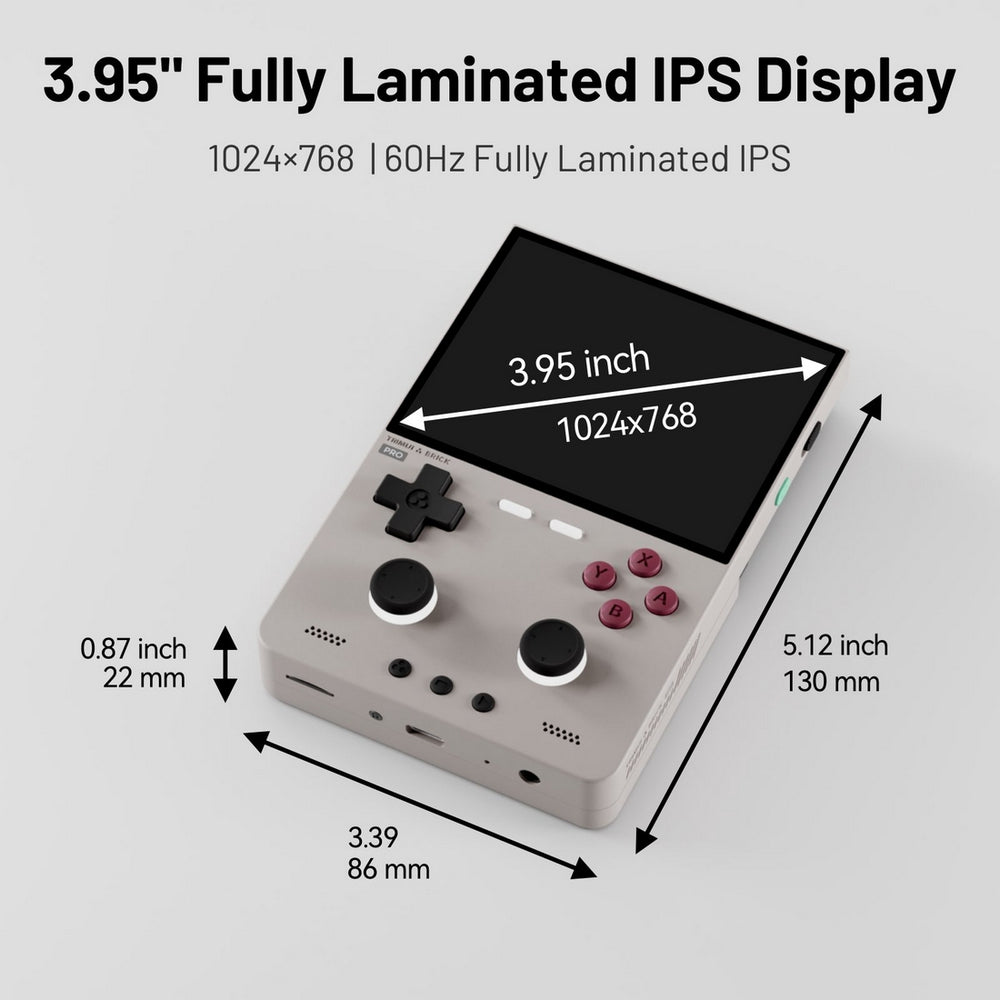
| Screen | 3.2in, 1024x768 | 3.95in, 1024x768, 60Hz, 324ppi |
| Analog sticks | None | Two clickable Hall-effect sticks |
| Battery | Smaller | 5,000mAh (per reviewer testing) |
| Shoulder buttons | Fixed | Removable / replaceable |
| Chip | Allwinner A133P | Allwinner A133P (unchanged) |
| Weight | Lighter | 159g |
| Body | Plastic | Plastic + glass, matte texture |
The pattern is obvious once you see it laid out: every change is ergonomic or quality-of-life. Nothing is about speed. TrimUI took the thing people liked and made it comfortable to actually use, which is a more interesting decision than another spec bump would have been.
First, three devices with confusingly similar names
TrimUI currently sells three things with "Brick" and "Hammer" in the name, and they are not variations on a theme — they are different price brackets:
| Name | What it is | Price |
|---|---|---|
| TrimUI Brick | The original 3.2-inch pocketable | $89.99 |
| TrimUI Brick Hammer | Metal-bodied version of that original Brick | $115.99 |
| TrimUI Brick Pro | The new 3.95-inch model this review covers | $105.79 |
| TrimUI Brick Pro U Hammer | New 3.95-inch body, Snapdragon internals | $293.99 |
The two on the bottom row are the ones that catch people out, because retailers sell them from a single product page with a "Console Version" dropdown. Same photos, same 3.95-inch body, same listing — nearly three times the price.
| Brick Pro | Brick Pro U Hammer | |
|---|---|---|
| Price (console only) | $105.79 | $293.99 |
| CPU | Allwinner A133P 1.8GHz | Snapdragon G2 Gen1 (SG6150), Kryo octa-core 4x2.4GHz + 4x1.95GHz |
| GPU | PowerVR GE8300 660MHz | Adreno A21, up to 940MHz |
| RAM / storage | 1GB + 8GB | 6GB + 128GB |
| Chassis | Plastic + glass | CNC-machined aluminium alloy |
| Video out | — | USB 3.0 Type-C with DP Alt Mode, 1080p60 |
| Bluetooth | 4.2 | 5.1 |
| Gyro | — | 6-axis |
| Weight | 159g | 196g |
Same 3.95-inch 1024x768 screen, same 10.99 x 7.32 x 1.18cm body — completely different class of machine inside. The U Hammer is the one that can genuinely attempt the systems the standard Brick Pro cannot.
If you read a review praising the Brick Pro's value at around $100 and then buy the U Hammer expecting that price, or buy the standard Pro expecting Snapdragon performance, you will be disappointed in one direction or the other. Check the Console Version dropdown before you check out.
Worth knowing while the U Hammer is still new: on LitNXT its console-only and stock-OS options are priced ($293.99, or $339.99/$359.99 with a 128GB/256GB stock card), but its CrossMix OS bundles currently show no price at all. The standard Brick Pro has all seven of its options priced normally.
Design and build
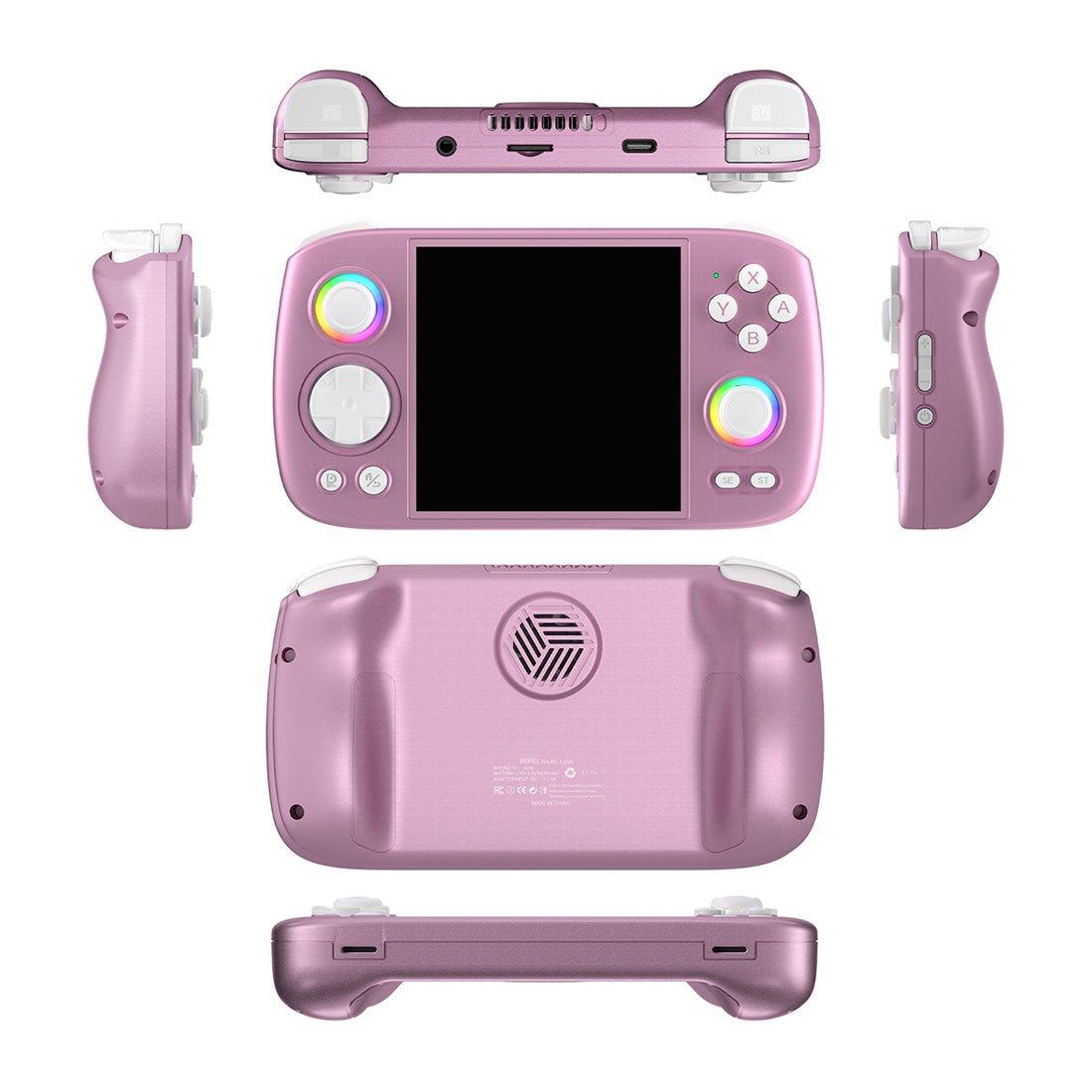
At 10.99 x 7.32cm and 159g the Brick Pro is still small, but it is no longer pocket small in the way the original was — that was the trade. Reviewers have been consistent that the ergonomics are the point: rounded edges, a matte-textured body and a passive-cooling metal back plate, with a palm-filling shape rather than the original's slab.
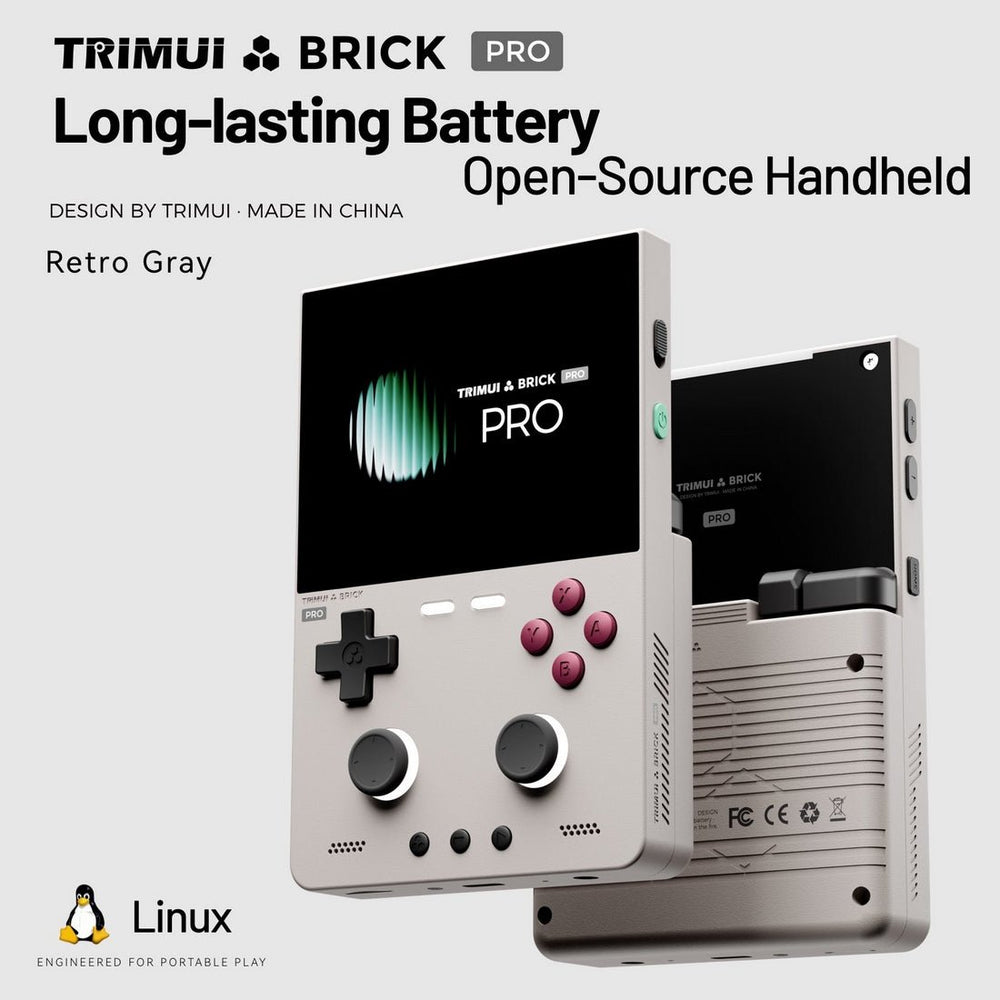
RGB lighting runs along the top rear panel, the L1/L2/R1/R2 shoulders and the F1/F2 indicators, with adjustable breathing modes. There is also an FN lock switch on the side for shortcut behaviour, which is a small thing that matters more than it sounds when you are remapping on the go.
The replaceable shoulder buttons deserve a specific mention. Shoulder buttons are the first thing to fail on cheap handhelds, and making them a user-swappable part is the kind of decision that suggests TrimUI expects people to keep these for years.
The screen
A 3.95-inch, 1024x768, fully laminated 60Hz IPS panel at 324ppi, in 4:3. For emulation this is close to ideal: 4:3 means no pillarboxing for the overwhelming majority of retro systems, and 1024x768 integer-scales cleanly for a lot of source resolutions.
One honest caveat from the reviews: the original Brick pushed the same 1024x768 pixel count through a 3.2-inch panel, so it had a higher pixel density. Retro Handhelds described the bigger display as "an absolute delight" while noting it is not quite as crisp as the smaller Brick's. Both things are true — you are trading density for size, and most people will take that trade.
Controls
The headline addition is two Hall-effect analog sticks, which are clickable and ringed with RGB. Hall sticks use magnetic sensing rather than physical contacts, so they do not develop drift the way conventional sticks do — on a sub-$110 device that is a genuinely notable inclusion.
They also change what the device is good at. N64 and PS1 games that were awkward-to-impossible on a d-pad-only Brick become viable here. That, more than the screen, is what makes the Pro a different machine in practice.
Face buttons are soft and clicky, and the d-pad has been well received. Retro Dodo, which called it "a remarkable sub $100 vertical," singled out the button quality and display as the reasons it liked the device.
Performance: what it actually plays
The A133P is a known quantity — the same chip as the original Brick and the TrimUI Smart Pro, roughly comparable to an RK3566 device. Expectations should be set accordingly:
| System | How it runs |
|---|---|
| NES, SNES, Game Boy / Color / Advance | Full speed, effortless |
| Genesis, Master System, Game Gear, PC Engine | Full speed |
| PlayStation 1 | Very good — one of the best experiences at this size |
| Nintendo 64 | Playable, title dependent (and now with real analog sticks) |
| Dreamcast | A handful of games, not a library |
| PSP | Struggles, especially heavier titles |
| GameCube / PS2 | No |
That is the same verdict the hands-on reviewers reached. The r/SBCGaming and r/trimui write-ups summed the device up as "a better handheld, but not a faster one," and Retro Handhelds titled their video "Not Faster. Better." If you need more grunt, the U Hammer variant — or a Snapdragon Android handheld like the Retroid Pocket 5 — is the honest recommendation.
Software
It ships with TrimUI's own Linux front end, which supports themes, a ports collection, save/load states, game search, recently-played history and favourites, plus dual controllers and WiFi multiplayer. It is a clean, fast interface that does not get in the way.
The bigger story is community firmware. CrossMix OS is the popular custom firmware for TrimUI devices, and LitNXT sells the Brick Pro pre-loaded with a Surwish CrossMix OS card (128GB or 256GB) if you would rather not set it up yourself. If you have used OnionOS on a Miyoo, the appeal is the same: better organisation, more features, active community.
What other reviewers found
This is a new device, so it is worth reading widely before spending. The consensus across published reviews:
- Retro Dodo (July 2026) — "A Remarkable Sub $100 Vertical." Praised button quality, the display, the LEDs, the removable shoulder buttons and battery life.
- Retro Handhelds (July 2026) — enthusiastic about the display and ergonomics, clear that it is not a performance upgrade.
- Held Games (June 2026) — 4/5, "A Bigger, Sharper Budget Brick."
- Retro Game Corps — notes it gains a bigger screen, battery and sticks, but "loses a bit of magic compared to the original," which is the fairest one-line summary of the size trade-off.
The dissent is consistent and worth taking seriously: if what you loved about the Brick was that it disappeared into a pocket, the Pro is not straightforwardly an upgrade.
Pros and cons
Pros
- Excellent 3.95-inch 1024x768 laminated 4:3 display
- Hall-effect analog sticks at this price, drift-resistant and clickable
- Large 5,000mAh battery
- Replaceable shoulder buttons — a real longevity feature
- Comfortable in the hand for long sessions
- Strong custom firmware scene (CrossMix OS)
Cons
- Same A133P chip: no performance gain over the original Brick
- Lower pixel density than the smaller Brick
- No longer genuinely pocketable
- 1GB RAM / 8GB storage on the standard model
- Confusing shared listing with the far more powerful U Hammer
Should you buy it?
Buy the Brick Pro if you want the best 8-bit through PS1 experience in a small vertical body, you value comfort and battery life, and analog sticks matter to you.
Buy the Brick Pro U Hammer if you want the same design language with real performance headroom, and you are comfortable paying substantially more for the Snapdragon model.
Keep the original Brick if absolute pocketability is the thing you actually care about. The Pro does not replace it; it sits alongside it.
Buy something else if your library is PSP, Dreamcast or GameCube heavy. No A133P device will serve you well there.
Alternatives worth comparing
| Device | Why consider it | Price | Buy |
|---|---|---|---|
| TrimUI Brick | The pocketable original, same screen resolution, smaller | $89.99 | LitNXT → |
| TRIMUI BRICK HAMMER | Metal-bodied version of the original 3.2in Brick — not the Pro | $115.99 | LitNXT → |
| Anbernic RG40XX V | 4-inch vertical rival, Linux, strong value | $95.99 | LitNXT → |
| Miyoo Mini Plus | Smaller, cheaper, superb OnionOS ecosystem | $69.99 | LitNXT → |
| Retroid Pocket 5 | Android, Snapdragon, for PSP and beyond | $259 | Read our review → |
Frequently asked questions
Is the TrimUI Brick Pro faster than the Brick? No. Both use the Allwinner A133P at 1.8GHz. The Pro is bigger, more comfortable and better equipped, not quicker.
Does it play PSP games? Not well. Light titles may run, but heavier PSP games struggle. Look at Snapdragon Android handhelds for PSP.
What is the difference between the Brick Pro and the Brick Pro U Hammer? The U Hammer uses a Snapdragon G2 Gen1 with 6GB RAM, 128GB storage, an aluminium chassis and DP Alt Mode video output. Same screen and body, very different performance and price.
Does it come with games? The console-only option does not include a card. LitNXT also sells bundles with a 128GB or 256GB CrossMix OS card.
Do the analog sticks drift? They are Hall-effect sticks, which use magnetic sensing instead of physical contacts, so they are far more resistant to the drift that affects conventional sticks.
The bottom line
The Brick Pro is the rare sequel that improves the experience without improving the spec sheet, and it is better for it. A superb 4:3 display, drift-proof sticks, a battery that lasts, and buttons you can replace when they wear out — for a device around the $100 mark, that is a well-judged package.
Just go in knowing what it is: the most comfortable way to play everything up to PS1 on a small vertical screen, not a step up in power. And check the variant dropdown before you pay.
If you are deciding between generations, our review of the original TrimUI Brick covers the model this one replaces, and our five games that show what a Brick is for runs from Super Mario World up to Castlevania: Symphony of the Night.